






- Log in to your Flickr account and tag all the photos you want to display on a particular page of your wordpress site. If your tag is more than one word make sure you place double quotes around the tag e.g "South Africa"
- Back on your wordpress site put into your post, page or sidebar, the following shortcode but between square brackets: [ and ]
[code]slickr-flickr tag="South Africa"[/code]
Demonstration Slideshow
Demo of a slideshow with my photos from Flickr tagged with “Portes de Soleil”

Misty Mountain

One Horse Open Sleigh

On foot or on ski Through Avoriaz

Les Cornettes

Sun and Ski at La Chapel d'Abondance

Mini Ski

Watch Out for Hurtling Horse

Not Thinking Of England in March
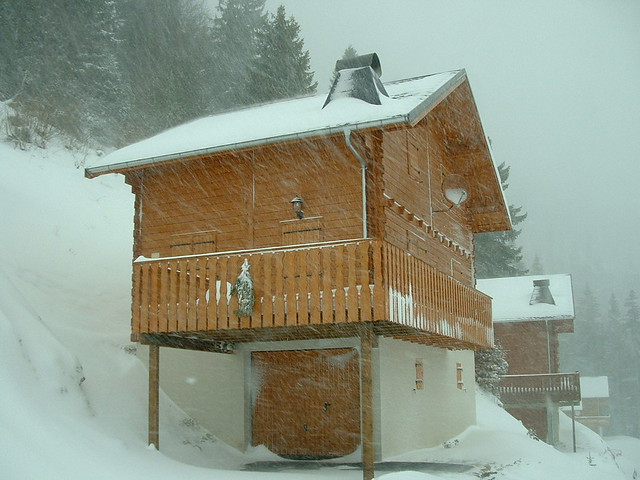
Neighbouring Chalet
Slickr Flickr Screenshots
Gallery with my photos from Flickr tagged with Slickr Flickr with Lightbox display at the medium size


How to Use The Plugin
The Flickr show is included within a post or a widget using the slickr-flickr short code
For example to show my pictures from Flickr that have been tagged with “bahamas” I would use :
slickr-flickr tag=”bahamas”
The Slickr Flickr Attributes (Parameters) are as follows:
- id – the Flickr ID of the user – you can get this from http://idgettr.com/
- group – set to ‘y’ if the Flickr Id belongs to a group rather than a user (default is n)
- use_key- set to ‘y’ to force the use of the API key (default is n)
- api key – your Flickr API key – this allows you to fetch up to 50 rather than just 20 photos – but only when searching tagged photos, groups or favorites not for sets or friends
- search – photos (default), groups, favorites, friends or sets
- tag – identifies what photos to display – (but is ignored where the search is for friends, groups or favorites)
- tagmode – set to ‘any’ for fetching photos with different tags – default is ‘all’
- set – number of the photoset – used when search=sets
- items – maximum number photos to display in the gallery or slideshow (default is 20)
- type – gallery, galleria or slideshow (default is gallery)
- captions – whether captions are on or off (default is on)
- delay – delay in seconds between each image in the slide show (default is 5)
- transition – slide transition time in seconds (only available in Slickr Flickr Pro edition)
- start – number of the starting slide in the slideshow or ‘random’ for a random start (default is 1) – only applies to the slideshow
- autoplay – on or off (default is on) – only applies to the galleria right now
- pause – on or off – default is off
- orientation – landscape or portrait (default is landscape)
- size – small, medium, m640, large or original (default is “medium” but only use “original” or “medium” for galleries and only use “large” if you actually have large photos on Flickr – over 1024 width typically) -(For the Galleria only you need to set the size of the galleria explicitly when using “original” size photos – e.g galleria_options=”height:600;width:800″
- width – width of slideshow (only available in Slickr Flickr Pro edition)
- height – height of slideshow (only available in Slickr Flickr Pro edition)
- thumbnail_size – square (75x75px), thumbnail (100x75px), small (240x180px) – default is square (only applies to gallery)
- thumbnail_scale – percentage scaling factor – default is 100 – recommend the range is between 50 and 100 to maintain image quality and performance (only applies to gallery)
- thumbnail captions – on or off – default is off – adds the photo title as a caption beneath each thumbnail – typically use this when you use larger thumbnails (only applies to gallery)
- photos_per_row – narrow the gallery to limit the number of photos per row – values would typically be in the range from 2 to 6
- align – align the slideshow or gallery in the center, to the left or to the right (default is left) – For the Galleria this parameter is ignored as the galleria_options are used to control formatting
- border – show a border around the slideshow images – on or off (default off)
- descriptions – on or off (default off) – show the photo description underneath the caption
- flickr_link – on or off (default off) – make the caption a link back to the photo on Flickr
- flickr_link_title – text of link to photo on Flickr
- flickr_link_target – set to “_blank” to show photo on Flickr in a new tab/window
- link – send the user to another URL when they click on the slideshow
- attribution – line that can be used to credit the photographer above the slideshow or gallery
- sort – date, title, or description
- direction – ascending or descending – used when sorting photos
You can set the parameters on each individual slideshow or set default values using the Admin Settings.
Examples
The following are example uses of the different parameters.
Please note that I have added removed the “[” and the “]” around the “slickr-flickr command” otherwise the plugin runs and shows the slideshow and not the code. When you put the code in the your blog posts make sure you include the square brackets.
Gallery of up to 5 of my France photos with popup display at medium size (either width or height around 500px)
[text]slickr-flickr tag="france" items="5" type="gallery"[/text]
Gallery of my France photos with popup display at original size.
[code]slickr-flickr tag="france" type="gallery" size="original"[/code]
Slideshow of up to 12 my France photos with a delay of 3 seconds between slides displayed at medium size (width around 500px) and without captions
[code]slickr-flickr tag="france" items="12" type="slideshow" captions="off" delay="3"[/code]
Slideshow of up to 6 my doggy photos starting randomly which are in portrait format (their width is less than their height) where their size is around 180px by 240px. I would typically use this format for displaying photos in a text widget in a sidebar.
[code]slickr-flickr tag="dogs" items="6" type="slideshow" orientation="portrait" size="small" start="random"[/code]
Slideshow of up to 12 photos tagged with Barcelona by Klaus Dolle.
[code]slickr-flickr tag="barcelona" items="12" type="slideshow" id="67057161@N00"[/code]
Plugin Restrictions
Slickr Flickr has the following restrictions:
- Flickr serves photos at standard sizes: square, thumbnail, small, medium, medium 640, large and original. Typically you will use “small” for slideshows in sidebar widgets, “medium” or “m640” for slideshows in the main content area and either “medium”, “m640” or “original” for galleries. Slickr Flickr has the limitation of only handling photos at these sizes. However, you can use CSS to resize the photos. The Small Slideshow Tutorial shows how to handle a narrow sidebar.
- There is a limit of 20 photos per gallery or slideshow if you just specify your Flickr ID, and a limit of 50 per page when you specify your Flickr API key, and the number is unlimited with Slickr Flickr Pro as it makes multiple requests to Flickr in the background to fetch as many photos as you want to display in your slideshow or gallery.

Yes, you can display as many galleries as you like.
I am trying to set up my page to show several galleries with pictures in each gallery. Is that possible with the free version.
Thanks,
Hi Beverly, ccfw is your username, your Flickr ID is 138837572@N07. I looked it up at http://idgettr.com/. Russell
I must be missing something. I use the following tag [slickr-flickr tag=”slideshow”]
I tagged all my photos with the word slideshow. I put all the required info into the Id section. What am I doing wrong?
Error fetching Flickr photos: A feed could not be found at http://api.flickr.com/services/feeds/photos_public.gne?lang=en-us&format=feed-rss_200&id=CCFW&tags=slideshow&per_page=12. A feed with an invalid mime type may fall victim to this error, or SimplePie was unable to auto-discover it.. Use force_feed() if you are certain this URL is a real feed.
Erik. It is a case of bad quotes. WordPress ignores shortcode parameters that are in smart quotes, which is why the default camera roll is displayed. Retype the quotes (do not cut and paste as that is not reliable) using the usual double quote characters.
Under the Photography page… I added the plugin, which I really like.
I used the shortcode: [slickr-flickr search=”sets” set=”72157604331417429” type="gallery" size="large"], as per one of the other post towards the top. It just shows my general camera roll, not the Film Album I selected. Any thoughts? or another way I should do this?
Thanks for your assistance!
Tim, Did you update your Flickr ID as well , so both the Flickr ID and the Flickr API key are for the new account?
Hi Russell, I changed API keys because I was moving Flickr accounts, but nothing seems to work with the new API key. If I put my old one back in, it works. I’ve tried clearing the RSS cache several times but I’m unsure if it works. I’ve followed the steps from the beginning so I’m not sure why it isn’t working now.
Improved support for single photos was implemented in Slickr Flickr 2.4. http://www.slickrflickr.com/2958/slickr-flickr-2-4-displays-single-photos/
Hi Ruby,
This “owner name” is on the TODO list and will go into the next release which will be in the June/July time frame.
Best Regards
Russell
Hi Russell
Great plugin, thank you for all your work on it! You mentioned below the possibility of using “owner_name”, which I would be interested in so that I can publicize the Flickr usernames of the people who have allowed their photos to be used in my Flickr Group. Is this something that currently works? I have added owner_name=”yes”, but that does not seem to have any effect.
Hi Stephanie,
Add
use_key="y"to the slicrk-flickr command and add NO other date filtering or sorting> This will create that in the exact same order as the set. See http://www.slickrflickr.com/2184/display-all-flickr-photos-in-a-photoset/Russell,
If you see it working on that page then it might be something to do with me. It seems it works in Firefox but not chrome. In chrome it just opens the image directly and you have to hit “back” to get back to my site.
HI Sean,
I am seeing a lightbox working at http://www.gamersciz.com/innogames-announces-elvenar/
Lightbox issues are generally to do with conflicts with other plugins, etc., so to diagnose the issue I need to look at the specific page that has the problem.
Regards
Russell
Hi Russell,
I am not sure what I did but I didn’t think I changed anything. For some reason the Lightbox doesn’t work anymore. The code I am using is found below. FYI I am using the basic pre-installed lightbox.
Thanks.
[slickr-flickr search="sets" set="72157651306669703" type="gallery" size="large"]
Hi Russel,
Thanks a lot. It works great.
Mike.
Hi Mike,
Update the plugin to Slickr Flickr v2.5. Under Slickr Flickr Admin settings, there is a new tab, No Photos. Here you can supply your own error message or choose Silent Mode to have no message at all.
Hi Russel,
Thanks for the quick reply.
I know there is no photo, I just want the users to just see ‘there is no photos’ because it is very much likely they don’t know what ‘flickr feed’ means. No need to disturb them with some techie message.
And great you are tackling that issue.
Thanks.
Hi Mike,
Normally when there is this message it means that there are no photos mostly likely because the tag or user id or photoset id and not been entered correctly. The Flickr Feed is a clickable link so you can click it and see what is wrong.
However, I will add option to the plugin today to allow you to suppress error reporting so if
silent="on"then not then “please verify …” message will not be shown.I will also add a “Silent Mode” option to Slickr Flickr Admin settings so you can make a site-wide setting.
Hi Russel,
Thanks for that great plugin.
When there is no photo, is it possible to not see the second sentence ‘Please verify … Flickr Feed.’?
Best,
Mike.
Hello! I was trying to modify my plug in to show a specific batch of photos in a specific order. I have them in an album, arranged as desired. I was making a little progress (could get tagged photos to view, but couldn’t get the order thing correct) but then it started always going to an old batch of tagged photos. Even though there is no mention of that tag in the script, it consistently goes to those old pix. What am I doing wrong.
I did just get an API key to be able to view more than 20 pictures.
I’m running the latest version of WordPress 4.2.2
Hi Chris,
The id=cubscoutpack603 is not correct so it cannot find your photos
Put your Flickr URL into http://idgettr.com to get your Flickr ID
Hey Russell – excited for the plugin – looks really cool. I have it installed on a site in beta and I got the following error :
Error fetching Flickr photos: A feed could not be found at http://api.flickr.com/services/feeds/photos_public.gne?lang=en-us&format=feed-rss_200&id=cubscoutpack603&tags=winter2014fallingrock&per_page=10. A feed with an invalid mime type may fall victim to this error, or SimplePie was unable to auto-discover it.. Use force_feed() if you are certain this URL is a real feed.
Any thoughts? Thanks for your help!
Choitowers,
This is not possible currently. You can add
attribution="Photos by some photographer"however this only make sense for individual galleries, not for group ones.I will look into this further
The Flickr API defines the following “extra” fields which can be returned:
Extras (Optional)
Currently Slickr Flickr is only grabbing the following 3 parameters: description,url_o,dims_o. If, for group galleries, it fetches the owner_name as well then it could append this name to the photo title
So instead of the title being say “My Interesting Photo” it would be “My Interesting Photo (LensMaster)”.
Is that the sort of thing you are looking for?
Hi Robert,
Add
captions="off"to your slickr-flickr commandRegards
Russell
any way to hide the titles that display on the bottom? Love the plugin looking to get the premium version
Hi Russell,
Great plugin! When displaying group galleries is it possible to display the author as well as the caption?
Many thanks.
Hi Rosdi,
Click the link on your page in the message “Please verify your settings, clear your RSS cache on the Slickr Flickr Admin page and check your Flickr feed”
Sometimes Flickr has a delay before publishing the feed, nut it can also be the feed link is wrong.
If you still have a problem then please post the URL of your Flickr feed
Ace, Ask your hosting company to make sure the connection to api.flickr.com is not blocked by a firewall or your PHP security settings. You may be to whitelist api.flickr.com or unblock outbound access on port 443. A good hosting company will be able to help you with this
sorry for the left out error message;
“No photos available right now.”
“Please verify your settings, clear your RSS cache on the Slickr Flickr Admin page and check your Flickr feed”
Hi,
I just installed this plugin.
I have added a tag for images that I want to show in my wordpress from an album in Flickr. It only display: “No photos available right now.”
Hi,
Thanks for creating such a useful plugin. However, I have not been able to make use of it since setting it up (I have carefully followed detailed instructions in setting it up). I keep getting the error:
This is the same error I am getting with all the other plugins I have tried as alternatives. Is there any way in which you could guide me in getting this resolved?
Thanks
Hi Rod,
This is probably an issue with running multiple lighboxes which can break all javascript on the page.
Please post the URL and I can look for javascript errors.
Regards
Russell
Hi,
The Flickr API now requires you to connect via HTTPS instead of HTTP which is why you are getting the error only now.
There is a misconfiguration on your PHP setup – it is looking for a cacert.pem file which it cannot find.
The problem and solution is described on this post
The solution is to make a small change to your php.ini file. This may be something you can to yourself or you could ask your host to do it for you.
Regards
Russell
Hi,
I’ve just installed your plugin and now I’m tring to create my first gallery, but I get this message (as you can see here: http://www.reyneriarchitetti.com/index.php/attivita/restauro/chiesa-di-san-bernardino-da-siena-a-saluzzo/):
“Error fetching Flickr photos: WP HTTP Error: SSL certificate problem, verify that the CA cert is OK. Details:
error:14090086:SSL routines:SSL3_GET_SERVER_CERTIFICATE:certificate verify failed”
Thanks so much for helping me with this!
Hi Justin,
If you would like to upgrade to the latest Slickr Flickr version (released in late May) as it has the necessary changes.
For more please see http://www.slickrflickr.com/2848/flickr-api-now-uses-https-for-searching-photos/
Getting the error “The Flickr API returned the following error: #95 – SSL is required” on all my pages.
Apparently it is related to a change made by Flickr? https://www.flickr.com/help/forum/en-us/72157645440333073/
I changed the php file from http to https for the lines below but it still didn’t work. Any thoughts?
var $rest_endpoint = ‘http://api.flickr.com/services/rest?’;
var $upload_endpoint = ‘http://api.flickr.com/services/upload?’;
var $replace_endpoint = ‘http://api.flickr.com/services/replace?’;
Slideshow stopped working after recent update. I have autoplay enabled and set to every 4 seconds.
[slickr-flickr tag="new" type="gallery" align="center" thumbnail_size="small" thumbnail_scale="70" thumbnail_captions="off" tag="new" sort="title" descriptions="off"]
We are also using an API key.
Hi Daryl,
For performance reasons, WordPress caches the feed of photos from Flickr for 12 hours. This is held in a “transient” in the database. This is another layer of caching that sits below your browser cache and any caching plugins cache or a CDN cache.
However, there are a couple of ways to break the Flickr feed cache and make Slickr Flickr and WordPress make the trip to Flickr to fetch the latest photos:
Typically you only want to reduce the cache expiry when you are adding new content to particular shows.
Hi Daryl,
Sorry for the delay in answering your question. I have been busy with the Slickr Flickr 2.0 release.
I have answered your question here
@Xin Xiao, Yes you can use tagmode. Please see http://www.slickrflickr.com/438/making-a-flickr-gallery-or-slideshow-with-more-than-one-tag/
http://www.antiochsb.edu/campus-tour/
I love this plug in with so many options!
Is there a syntax to have multiple tags (with a logical “and” or “or”)
eg
[slickr-flickr tag="lily", "London", "another"][/slickr-flickr]
[slickr-flickr tag="lily", "London", "another"][/slickr-flickr]
Perhaps use something like – tagmode=or tagmode=and
Thanks for a powerful solution!
Trying to get Flickr slideshow working.
Installed and activated plugin.
Filled in fields in settings inc API.
Shortcode slickr-flickr search=”sets” set=”72157644198088098″ items=”50″
Error message on post “The Flickr API returned the following error: #95 – SSL”
What should I do?
Hi Russell,
I have some photos in Flickr tagged with a keyword ”Picks-3-2014″, some photos are in portrait and some in landscape. In my WordPress page with “galleria” setting, the portrait pictures’ top and bottom are cut off in the slider show; the landscape photos also have some area on both left and right get cut off. Is there a way to fix it? Is that my parameters setting not correct?
You can see a testing web page here: http://thebcpa.org/test-2/
And the original group of pictures is here tagged with “Picks-3-2014”: http://www.flickr.com/photos/119734467@N08/sets/72157642983476083/
Please help.
Thanks,
Daryl
Hi Russell,
I have some photos tagged, then I added a gallery with the tag in a page. The photos displayed correctly. If I then add a few more new photos in Flickr with the same tag. The gallery in my web page will be get updated to displayed the additional photos that I just newly added, not even after a web page refresh. Will the plug-in automatically detected there are new photos added and included them in the web page or I have to do something also (other than refreshing the web page which doesn’t seem to do the trick)?
Thanks,
Daryl
Hi Chris,
All the thumbnails need to be present for the lightbox to operate,however you could use CSS to hide all but the first 4 thumbnails.
Please see this example: http://www.slickrflickr.com/support/how-to-show-a-few-thumbnails-in-a-large-gallery/
great plugin!! needing some help with the short code… I want to be able to display 4 images in the gallery as thumbnails then click an image get the lightbox but of all 340 photos in my flickr tag? Is that possible?
Try
slickr-flickr tag="london" type="slideshow" size="medium" align="center"Hi Ivan, Please use slickr-flickr and not slickr-Flickr as the short code
I would like to be able to show a single photo from my flickr account on my website.
Perhaps with such a shortcode
[slickr-flickr search="photos" type="single" photo="5401396324" ingallery="dogs"]
The search, type and photo attributes are pretty self explanatory, but ingallery is not and there is where the reason for my request comes from.
With ingallery you can specify whether the single photo is a member of a gallery where more single photos on your page/post can be a member of. You can have more then one such a gallery on a page/post just by using another name for the gallery:
[slickr-flickr search="photos" type="single" photo="5401396324" ingallery="dogs"]
blabla bla I like my this dog
[slickr-flickr search="photos" type="single" photo="5401396324" ingallery="dogs"]
bla bla and this one too
[slickr-flickr search="photos" type="single" photo="5401396324" ingallery="cats"]
bla bla bla, I hate cats
[slickr-flickr search="photos" type="single" photo="5401396324" ingallery="cats"]
blablabla, especially this one
(I love cats, it’s just an example)
I know I can use the [embed] shortcode for just displaying a photo, but I want my users to have the same experience when they click a single photo or one from a gallery.
When they click a photo which is in my page/post because of the [embed] shortcode, he/she is taken to my flickr account, I don’t want that. I want the same lightbox popup as slickr flickr uses, preferably with slideshow functionality as explained.
Russell, thanks for supporting the community. I do have a question though. I have installed your plugin, configured the settings with the appropriate info. (tagged by Flickr photos). When I enter the following into my WordPress post:
[slickr-Flickr tag=”Castle” type=”slideshow” size=”small” API key=”cec31537a6b6f5c5ac7613c098f4e86f”]
The same shows up as the actual post. No gallery, no pictures…just the code. What am I doing wrong. I have watched almost all of the videos, been to the Help section and no luck.
Any info you can provide would be greatly appreciated.
Respectfully,
–Ivan
to see the post…. it is at: https://kinkiepink.com/blog/
hi Russell
I am following you and have the ability to post on either the sidebar and the page but what if wanted to use
slickr-flickr tag=”london” type=”slideshow” size=”medium”
as the code and centre it into the middle of the page or post?
I bet its so easy but im not getting it right
Andy, please give the URL. Generally this means there is a javascript error somewhere on the page that kills the slideshow.
Looks great, gallery loaded fine, but when I change settings to slideshow, it doesnt erm slide.. Just shows one image all the time
Hi Sarah,
Looking at your page it seems to be working now. I presume it was the capital in Flickr that was the issue.
Just a suggestion for you, you are using “medium” size photos so it is not very efficient.
Try
[slickr-flickr tag="photos" type="slideshow" size="small"]Hi!
I am trying to create a slideshow in the sidebar of my blog. I entered this short code in a text widget, but the short code appeared on my blog instead of the slideshow, so I am assuming I did something wrong. Any advice?
[slickr-Flickr tag=”photos” type=”slideshow” size=”small” API key=”d85c4191c7b73ad1547a251907c456fa”]
Thanks!
Sarah
Hi Kathryn,
Thanks for your comments. Use
search="sets" set="your set id". For more see http://www.slickrflickr.com/1376/how-to-display-photos-from-a-flickr-photo-set/Hello, excited to have found Slickr Flickr! Wondering if there is a way to add a gallery/ slideshow using a Flickr photoset rather than tags?
Thanks,
Kathryn
Hi,
You could do this with CSS so the first 3 photos are visible but the rest are hidden.
I ran a successful test of this on a post with ID 1013 to show the first 3 thumbnails in a gallery
.postid-1013 .slickr-flickr-gallery li { display:none; }

.postid-1013 .slickr-flickr-gallery li:first-child { display:inline-block; }

.postid-1013 .slickr-flickr-gallery li:nth-child(2) { display:inline-block; }

.postid-1013 .slickr-flickr-gallery li:nth-child(3) { display:inline-block; }
Hello, Newbie here.
Is there a way to display 3 thumbnails but when the user clicks the slideshow display more photos?
This is a request of a specific layout and I can’t go over X number of thumbnails but we want to display the rest of the set.
Thanks
Hi Danilo,
A bit more on photos per row.
Slickr Flickr will naturally use all the available horizontal space so typically you will not need to specify photos_per_row in a widget. It is is really designed for use in a main content section where say you have a gallery of 15 photos and the page is wide enough to have 7 per row which yields 2 rows of 7 photos and 1 row with a single photo. This does not look great. In that case you might want to set photos_per_row=5 to produce 3 rows of 5 photos.
When used in a sidebar, and if no other CSS gets in the way, Slickr Flickr will shows 2 or 3 thumbnail photos per row according to the width of your sidebar without you having to specify how many you want.
If your theme gets in the way then just override the CSS that is adding the excessive padding or margins
Hi Danilo,
This typically happens if the style of your WordPress theme is overriding Slickr Flickr settings and forcing there to be only one photo by row – either by adding padding, margin or display elements that force the browser to place each list item (thumbnail) on a new line. You are using a slideshow rather than a gallery right now so I cannot be precise about the CSS.
Beth had a similar problem and a single line of CSS resolved the issue: http://www.slickrflickr.com/support/gallery-shows-one-image-per-row/#comment-891
The photos_per_row option is not working in my widget. Even if I set photos_per_row=”3″, will always result in the display with only one photo per row (ie, everything is in a single column of pictures).
Mehmet, There is a feature in Slickr Flickr Pro that allows you to publish photos based on the publication date of a post – see http://www.slickrflickr.com/upgrade/publication-date-photos
The idea is that while travelling say, you publish a blog post and then put the following slickr-flickr command in each post to display that days photos form your photostream.
[slickr-flickr date=publish]
A future release of Slickr Flickr will have a photoset browsing feature where each photoset will be represented by a thumbnail with a clickthrough to that photoset. But this is a few months away.
Great plugin but struggling to get it to work.
If I just want all of my galleries/sets to appear on my site using this plugin, how do I do this without having to define a tag each time? While travelling, i want to be able to add photos to my flickr account and then these to automatically appear on my site without having to add code individually for each set. Is this possible?
Hi Joe,
The settings is exactly the same as before – see under Settings / Slickr Flickr.
Your page has a couple of issues – firstly, you are loading an oldversion of jQuery 1.4.1 – you should use 1.7
<script type='text/javascript' src='http://ajax.googleapis.com/ajax/libs/jquery/1.4.1/jquery.min.js?ver=3.4.2'></script>Secondly, the Galleria ‘classic’ theme is not being loaded which is why the photos are not being displayed – check your Slickr Flickr Admin Galleria settings and maybe try loading the Galleria in the header rather than the footer – or vice versa
i just updated your plugin for my wordpress based site and the version i just downloaded, 1.43, does not seem to have a “settings” editor like the old one. i was going to make sure all of my flickr information carried over from the previous plugin version because the pages that were using slickr flickr now have no galleries to show, even with the same code that allowed the gallery to be viewed with the previous version. thank you. this is an example of a page that has the gallery code, but no visible gallery: http://www.xcgeek.com/product-review/first-impressions-giro-code-mtn-shoes/
kqt – unlikely that ‘nothing’ is showing up – I would expect a “No photos available” or the slickr flickr command to appear in square brackets. What is the URL of the page?
Hi, I put the shortcode in my post with the [] brackets, but nothings showing up…
GL, Most likely you have a typo. WordPress will not call Slickr Flickr if the short code is not correctly specified. Typically this is due to use smart quotes or mismatched quotes rather than normal quotes. Please give the URL of a page showing the untranslated code.
Hi, I have tried to get this working as a sidebar widget in a text box and followed the instructions but as others have also posted with no resolution, I only get the code showing and now photos. Do we need to have another plugin installed so the code works?
Random photo selection is a Slickr FLickr Pro feature : see http://www.slickrflickr.com/upgrade/random-flickr-photos
Congratulations on a great plugin.
Is there any option to randomize the returned selection of flickr images?
Nicki, For cropping settings see http://galleria.io/docs/options/imageCrop/.
On your page you might want to use a larger photo and if you have landscape format photos your code could be similar to the following:
[slickr-flickr tag="whatever" size="m640" galleria_options="height:480;width:640;imageCrop:landscape"]
Just play around with the setting until you get the desired effect
Hi
Just starting to build my website using your Flickr plugin (I’m new to all this so apologies if this seems really dumb!!).
The photos on my Flickr stream are appearing as normal but when I imported onto my website (using Slickr Flickr) some of the photos are being cropped (http://www.appletree-photography.com/?page_id=12) ….. how can I stop this please?
Thanks
Nicki
Thanks so much Russell!! 🙂
If you want to do display a random selection of photos from a larger group then this is available in Slickr Flickr Pro – see http://www.slickrflickr.com/upgrade/random-flickr-photos.
@Cin,
If you fetch 20 or less photos Flickr RSS is used and this always fetches the latest photos. If you ask for up to 50 photos then it uses the Flickr API then it will always selected the same photos according to the parameters you pass. You can use “before” “after” and “date_type” to select photos either based on the date published or the date the photo was taken. See http://www.slickrflickr.com/2089/how-to-search-flickr-photos-by-date/
Follow-up to my last question – here’s the problem:
With the api key, it displays the same (up to 50) photos, even if I clear the cache.
If I just use my Flickr ID, it displays my more recent photos, but only 20.
How can I display 50 photos – either most recent or random, but not the same 50 photos cycling every time?
Thanks so much for your help with this!
Hi Russell,
I’ve cleared the cache, and also tried cache=”off”, but it still keeps showing the same photos on my site – is there a parameter for showing the latest/newest photos?
Hi Oscar,
Have you cleared the WordPress RSS cache? (use button in sidebar on Slickr Flickr Admin page)
If the plugin shows 25 when you ask for 28 photos then you only have 25 photos publicly available on Flickr. Log out of Flickr and then view the collection of tagged/photosets photos.
The options page just defines default settings – the settings of the individual slickr-flickr command override the defaults.
Use type=”galleria” for a carousel of small thumbnails below the main photo.
Regards
Russell
First of all, this plugin its great!!!
Ok, i uploaded 28 photos to flickr and got the Flickr API Key. Then in the code i put items=”28″ but only shows 25. It shows 5 photos per row, so do in need to fill the last row with 2 more photos? i mean, to complete the 30?
Another question, any changes to i make on Options, doenst apply and allways shows the photos as thumbnail and when click in any photo opens the same window with the original size photo. I want to show a slideshow with thumbnail below.
Thank you
@James, please supply the URL of the page – if WordPress is not translating the slickr-flickr short code this is almost always due to a typo in the short code or incorrect quoting.
Hi,
Mine is not working, it shows the code rather than any images, I have the API and Flickr keys required.
And I did the following on my Sidebar:
[slickr-flickr tag="football" type="gallery" size="small"]
And then that is all it shows in the website as well ?
Daniel, why would you set photos_per_row=”0″ ?
short code my widgets: [slickr-flickr type="slideshow" photos_per_row="0" captions="on" descriptions="on" flickr link="on"]
I have the following error on my wordpress page:
Error 404 – Nothing Found
The page you are looking for could not be found.
Hi Jarrod,
If the tags are being ignored this is typically due to the quote around the tags.
Please make sure you are using the same double quotation mark ("); at the start and end of end tag value. I think you are using a mix on opening/left (“) and closing/right quotes (“).
I have just installed the plugin, GREAT WORK ! One odd thing, the code is ignoring the tags and pulling all the photos on my Flickr acct for some reason ?
I used the following code … slickr-flickr type=”gallery” photos_per_row=”7″ tag=”blog”
Note: pls ignore any site warnings that pop up I am awaiting Googles removal of that, this is a fresh install of wordpress and quite clean I assure you.
Thien, Slickr Flickr has a default spacing between photo however you can override this setting by adding a line to your theme’s style.css file.
Slickr Flickr has default CSS with a narrow margin between photos:
.slickr-flickr-gallery ul li { margin: 2px; }For example in the text widget in the footer on http://www.sunriseseagull.com/portfolio/ you might want to use a bigger margin as follows:
.boxes .slickr-flickr-gallery ul li { margin: 4px; }Hi, is it possible to adjust the spacing between the photo from the top row and the photo from the bottom row? Thanks!!
Hi Daniel,
You are using large thumbnails in quite an innovative way.
You can add more padding by putting the following line in your theme’s style.css file:
.slickr-flickr-gallery ul li { margin-bottom: 20px; }I am trying to set up a vertical stream of photos. Everything looks pretty nice except that I wish there was space in between each photo. It seems like this should be really simple but I haven’t been able to figure it out. Thanks.
Hi Dean,
To get more than 20 photos you need to
1) Save your API key in Slickr Flickr Admin settings
2) Request more than 20 photos in the slickr-flickr command
For example try using this without editing: [slickr-flickr id=61853521@N00 tag=roma items=30] If you get only 20 photos your API key is not working; otherwise you should get 30.
Can you give an example of getting more than 50 images? I have tried all the combo and it is only giving 20. Please use your ‘france’ tag an I will change it. I do have Pro and it shows that in my plugin settings page.
Erm Russel, your dogs are the cutest!
Yes, all 50 photos are there now – this is usually just a delay on Flickr making your photos public or a caching issue.
I figured it out!
“Try clearing your WordPress RSS cache by clicking the ‘Clear RSS Cache’ button in the sidebar on the Slickr Flickr Admin Settings page.”
Hey there. I installed your plugin and I’m loving it so far. I am having an issue with getting 50 photos to show. It’s only showing 34. Here’s my code: [slickr-flickr tag="lpzoo424" use_key="y" items="50"]
The post: http://sophistishe.com/2012/05/lincoln-park-zoo/
Should I give it time or am I doing something wrong?
Hi Sergio,
I have not seen that error before: here are a couple of things to check.
1) Make sure you have upgraded to the latest WordPress and latest Slickr Flickr
2) Check that your host’s firewall is not blocking Outbound connections on PORT 80 (you will need to ask them this)
Regards
Russell
Hi russell, great plugin!! but, i have a problem :S When i type the shot-code [slickr-flickr tag="fiestas" type="slideshow"], i get the following error:
Error fetching Flickr photos: WP HTTP Error: No se pudo utilizar la función fopen() para http://api.flickr.com/services/feeds/photos_public.gne?lang=en-us&format=feed-rss_200&id=68144302@N02&tags=fiestas&per_page=20.
Please, tell me you’d know what the problem?
Hi Patric, Your timing is perfect, I am working on this very feature for the April release of Slickr Flickr
Hi is it possible to get the plugin to show like the latest 12 picture from a user on the first page and then get a pagination to the second page to show another 12 photos and so on?
Hi Jason, Here is an example of controlling the number of Flickr thumbnails per row (ie. the number of columns)
Is their any way to control how many columns a galary is displayed in?
Hi Anneke, Many Thanks for drawing this to my attention.
However depending on how you stripped the title this, it might impede the functionality when passing the lightbox the caption that is displayed beneath the photo. This HTML caption may contain the photo descriptions and links back to the photo’s page on Flickr.
When I really need to do here to is use the function htmlspecialchars so the title is clean from a validation standpoint.
I will add this in the next release too. Thanks for your attention to detail
Regards
Russell
Hi Anneke,
Thanks for your comment. Slickr Flickr is similar to other lightbox plugins does not verify in HTML5 since it uses the rel=”lightbox”, rel=”sf-lightbox”, etc.
A workaround to this is proposed here at http://www.pagetoscreen.net/journal/item/html5_validation_and_the_rel_tag/.
However, given the direction of travel towards HTML5 I will add a plugin option to use the “class” rather than the “rel” attribute to signify the use of a lightbox in the next release of Slickr Flickr.
And it adds ‘title’ within the title=””, you should use strip_tags in every tag. I added this in the plugin code to make it work
Hi, your plugin doesn’t validate in HTML5, because of the rel=”sf-lightbox”…
Hi Riccardo,
My suggestion would be to use the parameter flickr_link=”on” as this will make the photo title which appears under the photo in the lightbox a link back to the photo’s page on Flickr. This keeps the person on your website, where they can see all your photos at a large size, and they can click on the title/caption to see the photo on Flickr.
But to answer your question, I would suggest you do this using jQuery and rewrite each of the photo links as follows:
Hi Kelsey,
Your error is in a different plugin called FancyFlickr.
This is SlickrFlickr!
Regards
Russell
Hi Russel,
I have installed the plugin, followed the directions and am getting this error..
Warning: Invalid argument supplied for foreach() in /home/finchkelsey/aquaterra.finchfries.com/wp-content/plugins/fancyflickr/index.php on line 152
Please help!
Thanks Kelsey
Hi,
first of all, great plugin !! I was wondering if I can change the default behaviour to let the first click in the gallery go directly to the flickr page, but in a new window. If you look at the footer of my home page, I’d like that when a user click any picture the browser opens a new windows (target=_new) directed to the relative pic page.
I’d be happy to help coding the option if it’s not present, if you can point me to the correct direction in the code.
Again, many many thanks !
Riccardo
Hi Vel,
Slickr Flickr does not limit the number of photos per row in either the main content area or the sidebar.
It is possible that your WordPress theme is adding extra padding around the photos which limits the available space. You need to check out your theme’s CSS to see why the extra padding or margin are being added and then add a line to your style.css file so the padding is not added for slickr flickr galleries
hi
Great plugin. by default, the sidebar widget shows a two column gallery. how do i make it three columns.?
Hi Russell and Liz,
Sorted and working fine now. Thanks for your help, and thanks for creating this awesome plugin.
Mark
Hi Mark,
Do not specify “sort” or “direction”, instead just add use_key=”y” – this will use exactly the same order as they appear on Flickr
Hi Liz,
Thanks for the help, but I think I may be looking do to something else.
Once I uploaded the photos to Flickr, I re-arranged their order. Is it possible to have Slickr Flickr pull them in in the order that they are displayed in the set? I’ve tried sorting by description, date and title, and they are all different orders to the sequence I have arranged them into on Flickr.
Many thanks,
Mark
Hi Mark,
Thanks for your comments. Sort and direction should have changed the order of the selected photos BUT NOT which
photos were selected. By default if you selected less than 20 photos, you will see the latest photos that were added to the photoset. Then sort=”title” would display the latest photos sorted by the title.
I presume what you want to see is the earliest photos in the photoset – if you add use_key=y then Slickr Flickr will use the Flickr API to fetch the photos and will deliver them in the same order as the photoset.
Hi Russell,
Fantastic plugin – although I have one question. When I display sets, the photos are displayed in the reverse order to Flickr – ie. first flickr photo is last in the gallery. I’ve tried changing the sort and direction values but it hasn’t made a difference for me. I’d like to just reverse the order SlickrFlickr is displaying the set – is this possible?
Many thanks,
Mark
here is an example of how to search by sets. the documentation above isn’t totally clear. this worked for me.
[slickr-flickr search="sets" set="72157629272660273"]
Hi,
I visited your account and it is showing as being inactive – see http://screencast.com/t/2fO35Lb0OAgR
Maybe you mistyped your Flickr ID?
Regards
Russell
After having fussed with this for about 5 hours to no avail, I’ve finally decided to post a question!
I’ve installed slickr-flickr on my site, but for some reason the short code absolutely will not work. I’ve tried all variety of permutations, as per the troubleshooting feedback on various threads throughout these support pages. I’ve made sure that my Flickr photostream is public and tagged.
When I use the shortcode, (for example, “[ slickr-flickr tag=personal ]”, the short code simply shows up as text within the blog post.
I also tried calling the plugin with PHP (the code I used was ” ‘gallery’, ‘items’ => ’10’, ‘id’ => ‘21879932@N02’, ‘tag’ => ‘personal’)); ?>”….) – and I get the error “Error fetching Flickr photos: A feed could not be found at http://api.flickr.com/services/feeds/photos_public.gne?lang=en-us&format=feed-rss_200&id=21879932@N02&tags=personal&per_page=10“. I thought at first this was a Flickr problem, but I’ve checked and double-checked that things are tagged correctly, and I can’t see where the problem is.
I have a couple of clients for whom this would be perfect and they’re willing to go Pro with it, but the Getting Started documentation could really use an overhaul. I’ve never had so much trouble integrating & configuring a plugin!
What am I doing wrong?
Cheers –
Hi Tommy,
Use delay=”0″ to disable the self-running slideshow – clicking the photo causes the slideshow to progress to the next photo.
Is there a way to offer arrow or bullet nav with the slideshow rather than just a self-running slideshow?
Hi Amit,
You are using the FancyBox lightbox – this does not support links in the captions
Please see http://www.slickrflickr.com/1717/using-slickr-flickr-with-other-lightboxes/ to see which lightboxes support links in captions.
Hej Russell
Thanks for a great plugin.
I have just one problem though. As you can se in my site, the captions don’t have links as I specified in the shortcode: [slickr-flickr items="10" type="gallery" flickr_link="on"]
Have I been missing something?
Thanks Again
Amit
Hi Brendan, please see the tutorial: how to add a Slickr Flickr slideshow in a sidebar widget. The only difference is you specify type=”gallery” rather than type=”slideshow” and you can specify the size as either size=”medium” size=”m640″ or whatever is appropriate
Hi. How can I get the plugin to display as a gallery in widget in the sidebar using thesis as you have here?
Hi Glen, see http://www.slickrflickr.com/support/how-to-display-a-flickr-photoset/
hi there – i too am trying to call a particular set when on different pages, but it keeps displaying the latest photos from the entire library.
link – http://soccermom.dreamhosters.com/artists/jason-plumb
i am using “search=#” in the shortcode. is this not correct? i couldn’t find any examples of sets anywhere. thx.
Hi Dan,
The number is in the address bar of your browser, for example the id of the photoset for http://www.flickr.com/photos/russelljamieson/sets/72157623501712321/ is 72157623501712321
why number do i put in where it say photo set number? i can’t find a photo set number?
thanks
Hi David,
I went to your group page on Flickr and click the RSS icon.
You photos are not yet publicly available via RSS.
You just need to wait until Flickr publishes them.
Hi,
It’s 1801256@N20 for the group’s ID and I just used the above mentioned command with the tag “luderitz namibia”
David, What is your FlickrID and what slickr-flickr command are you using?
Hi,
I’m trying to get the plugin to work. It’s on a localised copy of the site I’m working on and it’s placed in to the template with
But it keeps saying that there is now flickr feed, even though I have pointed it to a group where there is a photo with the right tag needed.
Not sure if I’ve overlooked something here. Thanks for any help offered.
You can use it without tags – in which case, it will just show your latest photos.
Thank for the plugin
How can use the plugin whitout the tag
we want to show the gallery as it is.
Thanks
Hi Ian,
For example, if you type Julia Roberts into Flickr you get quite an arbitrary set of photos: eg see http://www.flickr.com/search/?q=julia%20roberts.
My suggestion would be to use Flickr Galleries as they give you control over what photos are displayed.
You go into Flickr a create a gallery and then say select 19 photos of Julia Roberts that are appropriate to your business.
Then with Slickr Flickr you can display those photos using search=”galleries” gallery=”your gallery id”
Hi
I’m very interested in your plugin. If you look at my site, I have lots of celebs and I want to bring in images from Flickr that are in any particular account and make a gallery out of them.
Can I do that with your plugin, just by specifying the celebrity name in the tag field?
Thanks
Have you tried using the minus sign before the tag?
For example tag=”cheese,-cheddar” is photos tagged with cheese but excluding those tagged with cheddar.
Hi Jaegar,
Yes, you can use the parameters “before” and “after” to specify a date range. See example at http://www.slickrflickr.com/2089/how-to-search-flickr-photos-by-date/
Through Slickr Flickr you can specify either the min_upload_date, max_upload_date or min_taken_date and max_taken_date as described here http://www.flickr.com/services/api/flickr.photos.search.html
I also wanted to know if there was a way to exclude tags in the short code. Some things I don’t want showing up.
Any shortcode for say displaying a certain month and year? I like to display my photos chronologically but also want to separate by month.
Hi Yvette,
Thanks for your feedback. And for the suggestion.
The question is where to place the ‘date’ and also which date to use? (date taken or date uploaded).
Should the date be on the same line as the title or the same line as the description? Which of the formats should it work with? Slideshows, Gallerias and LightBoxes? Most lightboxes only support two data fields (title and description) at most so adding a third would most not likely be feasible. More reliable would be to merge the date into the photo title – but that might not be what you had in mind?
The easiest solution for you right now would be to put the date in either the Photo Title or Photo Description
This is an excellent plug-in. Thank you very much. I am using this show the progress of a new home construction so, in addition to showing captions and descriptions, could you also optionally show a date? In Month Day, Year format?
all resolved now, thank-you I had not cleared the rss cache.
Thank-you for help 🙂
Hi Anne,
Flickr is only sending 5 photos – things to check are: do you have at least 6 non-private photos with that tag? have you cleared your WordPress RSS cache recently? Did you just upload the 6th photos a few minutes ago?
Regards
Russell
hello I have your brilliant plugin and have tried to create a gallery of 6 images in my sidebar using the following short code:
slickr-flickr tag=”Bath” items=”6″ type=”gallery”
only five images are displayed.
Any help or advice would be very much appreciated.
Thank-you in advance
Hi Santiago, you can use the ‘attribution’ parameter – however you do need to populate it manually with the correct link and link text.
Please see an example at http://www.slickrflickr.com/449/featuring-photos-from-other-flickr-photographers/
Russell,
Is there a way to show a link that goes to the set, just after the gallery? Or before, but not like the one inside Lightbox, I mean one you can see with the thumbnails.
Thanks,
Hi Daniel,
Unfortunately there is no easy way to exclude tags using the Flickr API.
However, it is possible to write a JQuery script that finds all the images on the page, identifies the duplicates, and then uses CSS to hide them.
Regards
Russell
Hi there, thanks for this amazing plugin. Is there a way to exclude selected tags? I want to post 2 flickr galleries: one with the tag “instagram” (Instagram only) and a second one with all flickr images (except “instagram”) to prevent doubles. Thanks!
Hi Ewien,
WordPress will cache your photos so you will get the same photos in the same order until the cache is cleared but with a random starting photo in the sequence (start=”random”).
You will need to clear your cache on Slickr Flickr Admin settings page if you do not want to wait up to 12 hours to see new additions to the collection.
Also you might be interested in the Slickr Flickr Pro feature which allows a random number of photos to be displayed (in a random order) from a larger collection of photos – see http://www.slickrflickr.com/upgrade/random-flickr-photos
Used this code
[slickr-flickr tag="snapshot" items="75" type="slideshow" size="small" start="random"]
to get my pics with tag ‘snapshot’ in my side bar on the home page. It will not renew these though with the ones I added later on, tagged ‘snapshot’. It keeps displaying the same pics?
Please see an example of paged galleries at http://www.slickrflickr.com/2278/flickr-paged-gallery/
Is there a way to start each instance of the gallery short code in increments?
For instance display 4 photos, then the instance after this display the next 4, then the instance after that display the next 4, all on the same page?
Thanks
Hi Jim,
Yes, sizing can be a bit of an challenge – it depends on what size of photos you want to display (small, medium, m640, large), whether you are using the orientation parameter (landscape/portrait), which version of the Galleria you are using , and which Galleria theme you are using (classic, folio, miniml, fullscreen) , and whether or not you are using the galleria options: height, width, imageCrop, imageMargin – see http://galleria.aino.se/docs/1.2/options/ – and also whether you photos are standard format (4:3, 16:9, or some other format).
In the next release of Slickr Flickr in a couple of days I am addressing this by changing the way Slickr Flickr interacts with Galleria 1.2 and 1.2.3 – in version 1.29 it interacts by setting the size of the container in CSS; in the new version Slickr Flickr will not have any CSS that influences the galleria and hence will let the Galleria code have full control over the galleria size.
So basically in the next release it wil be easier to get the galleria size right: either let galleria calculate the right size automatically, or tweak this a little using galleria parameters: height, width, imageCrop, imageMargin parameter if you have a mix of different sizes of photos.
Regards
Russell
hey guys, I’m trying to incorporate the Gallery 1.2.3 version into my site, but my images are being cropped and expanded out of proportion. They seem to work perfectly with the original gallery 1.0, but the latest version of the gallery looks waaaay better on my site. Image sizing doesn’t seem to be the problem. Any suggestions?
Cheers,
Jim
Sorry – we missed this comment Kristin – I just found it in the spam folder. Probably too late for you now. I’ll get Russell to respond to you tomorrow in any case. Liz
Sorry if I’m not being much help. Russell is in Spain for a couple of days. He said to say that you need to check the version of Slickr Flickr that you are running as it sounds like you’re running an old one. Have you upgraded to v1.29?
Because search=galleries is quite a new feature – it might be missing from the documentation. I will see that it is fixed if this is the case tomorrow.
Liz
Thanks for the help Liz. Unfortunately I can’t get it to work
slickr-flickr id=”24469639@N00″ search=”galleries” gallery=”72157626873886323″ type=”slideshow”
with or without my userid simply returns the most recent items in my own stream.
I note further up this page it list the search options as:
search – photos (default), groups, favorites, friends or sets
which implies that there isn’t any galleries functionality available with that method.
Hi James
The answer is yes. The syntax is something lilke :
slickr-flickr search=”galleries” gallery=”72157626435922486″ type=”gallery”
That will choose from your gallery (the long number is the public part of the gallery id – or what you see in your URL). Or if you want someone else’s gallery, then:
slickr-flickr search=”galleries” gallery=”72157626435922486″ type=”gallery” id=”user_id/group_id”
Liz
Apologies if this has already been asked (or even answered) but is it possible to use Slickr Flickr for Flickr galleries?
Hi Jason,
Thanks for the clarification.
Slickr Flickr only deals with photos hosted on Flickr
However you could look at the WordPress Flickr Manager plugin which does some integration between Flickr and the WordPress Media Library
Regards
Russell
Russ, sorry about the image not working. Try this. I do have it annotated. Its a screenshot from within the “add post” part of the admin panel, that is the default add post look and feel that you get in wordpress.
https://img.skitch.com/20110619-cy6y8hs2dmqaiu4rg8rhca7qyp.jpg
Also here is a sample post…
http://wmmba.org/index.php/2011/06/19/another-sample-2/
So that image gallery is created automatically from any of the images that are contained within the gallery tab on the add image panel on the default wordpress add post section (see screenshot).
My question is basically is there an easy way to get a picture from flickr in the “gallery” tab on the “add photo” popup section when adding a new blog post.
Hi Jason,
The link you sent did not make any sense to me – i just see a layout with some missing images. You need to annotate the image for it to make sense to someone who not familiar with your theme. Also maybe send an example of what a working ‘default post gallery’ looks like.
I see you have a gallery running at http://wmmba.org/index.php/photos/ so we know that Slickr Flickr works fine with your theme in a normal post .
I have a few questions about using your plugin with my theme and how to integrate flickr photos into the default post gallery (which my theme then spits out into the post). I also have a “photos” page set up which shows my photostream which I love.
Please see the screenshot for a better description of my question.
https://skitch.com/jasonwsaz/ffq8r/edit-post-wmmba-wordpress
If it can do this somehow I’ll purchase the pro version
hi there we are seriously thinking of buying your pro package. but first we have been testing the plugin today in the beginning it worked but now its showing this : No photos available right now.
Please verify your settings, clear your RSS cache on the Slickr Flickr Admin page and check your Flickr feed.
we have cleared the cache several times but nothing is showing. we are scared that this can happen often… also is it possible to have the standard thumbnails but also a picture showing so you can navigate through the images. instead of just thumbnails. we have tried with gallery but then it doesn’t show the thumbnails and no arrows. would really appreciate an answer to this before we buy. pls see test page here : http://www.ep-stockphoto.com/?page_id=782
Utzutz, please see http://www.slickrflickr.com/support/can-slickr-flickr-be-directly-embedded-in-php-code/
greetings,
I really need to know how I can call the function manually, which means without the conditional tag thing… just a rough manual function call. Tried to call slickr_flickr_init(), but does not effect anything…. or is there a widgetized version?
Suggestion/Question: Here is what I need in a Flickr Pro plugin: (1) Carousel/Galleries, which you’ve helped me see earlier, (2) Ability to import comments into my post, which I have posted about earlier [similar to Live Flickr Comment Importer], (3) ability to import images to site automatically (possibly via media_sideload_image() in WordPress) to ensure that featured images works (supports post-thumbnails), and (4) ability to bring it all together as an auto-post from Flickr (based on tags, so if it contains tag #slickrflickrpost, it produces a post in WP site that has title, Flickr description as body, image inserted/imported and set as featured image for post-thumbnails.). How close is Slickr Flickr to being able to do this? I’d love to chat about how to implement these things and even help if needed. Feel free to email me.
Thanks,
Hi Robert,
There is no “album” tag. Instead use search=”sets” set=”your set id”
Regards
Russell
Hi,
displaying albums with “album=”example”” does not work, all pictures from stream are shown. Any idea what the problem might be?
Thanks & regards
Robert
Hi Brad,
The start=”random” only applies when you specify type=”slideshow”.
There is no random selection for the gallery at this point in time.
Though it is on the wishlist and will get done at some point during the summer.
Hi Brad,
Do you have a cache-ing plugin enabled? e,g wp-super-cache, hyper-cache?
Hi Brad,
With start=”random”, the slide order is the same; only the starting slide is randomly selected. So if you have ten slides, it will show them in the same sequence but the first slide that is displayed can be any one of the 10 slides.
I think what you are looking for is an option: order=”random” ?
start=”random” or any number does not seem to work for me, the photos keep appearing in the same order, any ideas? Thanks for the great plugin!
Hi Travis,
If you go into Slickr Flickr Admin settings and choose Galleria 1.2 or 1.2.3 you can have a carousel.
On the page use the slickr-flickr parameter type=”galleria”.
See an example of Galleria 1.2 at http://www.slickrflickr.com/2270/flickr-galleria-slide-transitions-now-supported-by-slickr-flickr/
I would like to use this plugin and even go pro, but I need the images to display in a filmstrip/carousel.
Thanks,
HI Steve,
Once your latest photos appear in the RSS feed you need to clear the WordPress RSS cache – you do this by going to Slickr Flickr Admin Settings and clicking the ‘Clear RSS Cache button’ (this cache expires automatically every 12 hours) so you only need to do this is you don’t want to wait!
great thanks— hopefully it will appear once the RSS updates…
Hi Steve,
Slickr Flickr is using RSS Flickr Feed URL so if is the feed has no photos Slickr Flickr has nothing to display.
You can force Slickr Flickr to use the Flickr API by specifying use_key=’y’ – sometimes this delivers photos sooner then the RSS feed.
Flickr has hundreds of servers which get synced periodically. When new photos go up it can take between 1 minute and 2 days before they are available – it just depends on what server your website connects to.
No they are public—I’ve tried other flickr plugins and they work fine—this one seems way better tho and it doesnt work haha….any thoughts…
no items appear when i click on the flickr feed link
It probably means your photos are not publicly available yet.
Click the link of your Flickr feed – how many items does it show?
Does anyone know how to get this to work??? I have input my id and all the neccassary info and double checked 5 times!!!
I get this message: No photos available right now.
Please verify your settings, clear your RSS cache on the Slickr Flickr Admin page and check your flickr feed
any help is appreciated!
Steve
Dear Russell, I think it had to do with the z-index, it looks like it has been solved… Cheers!
Hi Laura,
You need to reduce the z-index of your theme which is forcing the header on top of the lightbox.
This should help : http://www.slickrflickr.com/support/theme-menu-is-visible-though-the-lightbox-picture/
Regards
Russell
Hi Russell, I have added SlickFlickr and it all works, apart form the Lightbox: the foto in the header does not disapper behind the ‘shadow’ of the Lightbox, so the photo is only half visible. Do you know how I can solve that by any chance? Thank you!
Kind regards, Laura
Hi Anne,
The question is: how to you specify the link for each photo? It too cumbersome to try and add 20 links the slickr flickr command for a 20 photos slideshow and there is the risk that if the list of photos changes that the wrong links get associated with each photo. Also there is not and easy place to keep links in Flickr (other than perhaps the photo description)
If I had to code this for a client I would use jQuery to add a click event to each image. jQuery could add a different link destination according to the title of the photo. There would be a single line of jQuery for each photo to add the appropriate link. The script would be placed in the footer on your page.
If you want personal support then please upgrade to Slickr Flick Pro
Hi Sharon,
Overriding theme CSS is necessarily theme specific – I’m afraid there is no way around that.
What I do is use Google Chrome’s Inspect element command which shows me the WordPress theme CSS and the Plugin CSS side by side for each HTML element. It is then a matter of adding a more specific CSS element to the theme’s style.css that applies the desired formatting. This new element takes precedence over the existing theme’s formatting. I hope that helps.
For example, let’s say a theme is adding bullets in front of all gallery photos in the sidebar due to the theme’s style.css
.sidebar ul {list-style-type:square}
But then adding the following to style.css would remove the bullets from the gallery
.sidebar .slickr-flickr-gallery ul {list-style-type:none}
If you want personal support on this please sign up to Slickr Flickr Pro
I’m attempting to set up a galleria for our site, but running into trouble with my theme’s stylesheet sabotaging the list.
Link to problem page: http://heritagemuseumoc.org/gallery-1-mark-and-monique/
Not only does it add the list bullets, but it overrides the slide-show function and simply lists all the photos full-size down the page. I can get the gallery and slideshow formats to work, but the galleria is what I really want for the page.
I read the help discussion on theme css overriding the plugin, but the solution appeared to be specific to that theme. I’m still a beginner at sorting through stylesheets and inheritance, so I wonder if you could give me a little help here.
Thank you,
Sharon
Hi Bernard,
I looked at the site: http://www.chongfu.moe.edu.sg/. You have a badly behaved theme which does NOT call the wordpress hooks to load scripts in the header or in the footer. See WordPress documentation at http://codex.wordpress.org/Function_Reference/wp_enqueue_script.
You need to get your WordPress theme developer at add the wp_header and wp_footer hooks
Regards
Russell
Hi,
Please assist me in this problem:
I have inserted the php code in the index.php to show my recent photos. However, it seems cant to have the ‘pop-up’ effect that you are having..
please help!
code:
‘gallery’, ‘items’ => ‘7’, ‘delay’ => ‘5’, ‘id’ => ‘58641821@N05’, ‘tag’ => ‘Chongfu’)); ?>
THANKS!
Hi,
Please assist me in creating a ‘pop-out’ gallery that you are having in you “Gallery In Widget” side bar.
I have tried using the following php codes:
‘gallery’, ‘items’ => ‘7’, ‘delay’ => ‘5’, ‘id’ => ‘ID’, ‘tag’ => ‘Chongfu’)); ?>
but it does not appear what is suppose to be.. HELP!
I am sorry to be confusing. I *would* like a different link for each photo. (I assumed that I would need to give each photo a different tag to do this, but I can give them each the same tag.) I would like the user to go to a different link (not to Flickr, but to a third-party site) depending on what photo he/she clicks on in the slideshow. Is that possible? Again, thank you very much for your kind input.
Hi Anne,
If there is only a single link per gallery that should be fine. I had thought you had wanted a different link for each photo.
I already have a “link” parameter that is used on slideshows but not on galleries (however I can change that in the next release).
In Slickr Flickr 1.29 you will be able to use the following parameters to link all photos in the gallery to an external URL which opens in a new window
type="gallery" lightbox="none" link="your book URL" target="_blank"Again, thank you for your quick reply. What I meant by “I could associate a unique web link (to the book) with the image” was to use Slickr Flickr and, in the short code of the SF widget, associate a web link with a particular tag (out-of-the box functionality of SF). On Flickr, each image of a book would have a unique tag, and then using SF, I would like to make each tag open to a unique weblink (to the specific online ebook we, as the library, subscribe to). Is that possible? Again, many many thanks for the discussion.
Hi Anne,
Thanks for your elaboration.
When you say “I could associate a unique web link (to the book) with the image” how did you plan to do that?
I know you can embed links in photo descriptions in Flickr but the examples I have seen are internal Flickr links: your description can link anywhere as long as the links remain within flickr.com.
In other words, Flickr is conspiring against you (and Slickr Flickr) in allowing you to link out elsewhere with ease.
If I were you, then my approach would be to use a some custom jQuery to replace the Flickr Link with the external link to the book. This is just a hard coded set of mappings that replace each photo URL with an external link.
I hope that made some sense to you
Best Regards
Russell
Hello. Thank you for your quick reply! It’s most appreciated. I work for a library, and we’d like to display the cover art of new ebooks via the Slickr Flickr widget. When users click on the image, we’d like them to be taken directly to the ebook. I was thinking that each cover art image on Flickr would have a unique tag and hoping that I could associate a unique web link (to the book) with the image. We probably will have no more than 10 images at any one time. What do you think? We use Thickbox for our light box, if that helps. Your input is most appreciated. Thank you.
Hi Anne,
Thanks for your comments.
No, there isn’t a way to associate different links with different photos – other than using the “flickr_link” to link the photo back to the original photo page on Flickr. Right now only the type=”slideshow” display format uses the “link” parameter that sends the user to a single external link.
I am not sure what you mean by “type of image” in your question – please can you give an example?
If you use the descriptions=”on” parameter and then have a URL in the photo description that directs the use to your intended destination you might able to achieve what you want if you choose a lightbox that support HTML descriptions
Hello. Absolutely gorgeous plugin. It does what I want perfectly! One question: Is it possible to associate a different web link with each tag displayed? Depending on the type of image, I’d like users to go to a different web site. I’ve been fiddling with the short code, but haven’t yet been able to figure it out. Thank you, kindly.
Thanks Stefan,
No signature required – but a 5 star rating at http://wordpress.org/extend/plugins/slickr-flickr/ would be greatly appreciated.
Cheers
Russell
This will make the plugin just perfect.
Where do i have to put my signature?
Thank you for the fast response. Keep up the great work!
Hi Stefan,
Yup, I will add the “link” parameter in the next release so all photos link back to the same URL.
Hey Russel,
Thanks, that’s one step in the right direction.
If i could now use
link="link_to_my_collection"</code" instead of the standard flickr link, it would be perfect.Why do I want to do this?
I have specific galleries for each post in my WP blog. When i follow your advice, each thumbnail will be linked to the single image within my PHOTOSTREAM. Users then are not bound to sets or collections, but can go back and forth through the whole stream. This can be irritating, as they just clicked the link to see pictures of say Event_A, but will cycle through all pictures i have in Flickr.
Sorry for being a hazzle. :-)
Hi Stefan,
Thanks for the feedback.
I think you can do something similar to what you want using the following parameters:
flickr_link="on" lightbox="none"This tells Slickr Flickr not to use the lightbox but to use the link of the original photo on Flickr.
I probably could add an option in the next release such that if the “link” parameter is provided that this is used in preference to the links back to the individual photos on Flickr. Is that what you are looking for? All photos link back to the same Gallery/Collection page on Flickr?
Good job with this flickr plugin! It’s closer to what i need than anything else.
Of course i have something to nitpick:
Would love to use the “link” option in gallery mode as well, such as: displaying thumbnails only (as a teaser), taking the user to the flickr gallery (flickr “collection” in my case) upon clicking.
I added a gallery of 40 photoset photos to my test post and it still worked for me with my Pro account
So you can either upgrade on Flickr or simply create a new tag for your photoset photos.
Yeah once I switched to tags it worked, I have a free account now – guess the sets parameter wasnt working with it!?
Hi
A couple of things…
1) If you switch from a photoset to tagged photos does it work okay?
2) Do you have a free or Pro Flickr account?
Slickr Flickr gets the original photo URL from a parameter called url_o (URL original). This forum post suggests that there is a problem with free Flickr accounts fetching the original photo URL using this parameter – see http://www.flickr.com/groups/api/discuss/72157623814730992/
I upgraded to the latest version, created a new page with the shortcode:
[slickr-flickr search="sets" set="72157626597585286" size="original"]
and cleared my rss cache, and still get the same problem? – http://www.mobilesacrifice.com/slickr/
Roraz,
Please can you upgrade to the latest version of Slickr Flickr – http://downloads.wordpress.org/plugin/slickr-flickr.1.28.zip.
I just tried a slideshow with 40 original size photos and it works fine – see http://www.slickrflickr.com/support/gallery-with-40-original-size-photos/
I managed to get the images to show (apparently it was a flickr side issue), however I have it set in the settings to show 40 images per gallery (I have api key set) with original sizes for images.
However Ive found that if you set it to more then 20 images with original sizes, the thumbs dont link to the images but instead the page url (in this case – http://www.mobilesacrifice.com/test)??
HI Beth,
Thanks for your comment,
Slickr Flickr operates the gallery in a fairly standard fashion where the slideshow in the lightbox consists of the larger sizes of the thumbnail photos in the gallery – what you are looking to do is display a different group of images. Slickr Flickr does not do this out of the box.
You could achieve effect with a little bit of custom code
Calling the click on the hidden group gallery is the same as the user clicking it and hence you will get the large photos for the selected image group appearing in the lightbox.
Hope that all makes sense.
Regards
Russell
Hi. I’d like to buy a year license, but I’m not sure that the plugin will do what I would like it to do. On my page I would like to have a selection of thumbnails. When a viewer clicks on one I would like it to show a series of images within a set, gallery, whatever but I want each thumbnail to represent a different group of images. For example, I’d like to have an image of a flower, a dog, a sunset, an abstract image. When the flower image is clicked, it would open a lightbox with a slideshow of all flower images.
If I had the money, I’d pay the one-time fee but I’m out of work and hoping that building this site will help me make some money. Anyway, is this something that is possible with the plugin? If not, is it something that could be worked into it? I’m not sure how complex of a concept it would be but I would really love to be able to incorporate this into my site.
Thanks for your time,
Beth
Awesome that fixed it!!! No problem, thank YOU for helping me figure out the problem 😀
I think you are missing the script http://pac.heystac.com/wp-content/plugins/slickr-flickr/slickr-flickr-start.js – this is the script that starts the slideshow. The script contains a single line:
jQuery(document).ready(function() { slickr_flickr_start(); });Many apologies – this is my fault – it is a new file that is missing from the zip file because I forgot to add it the build.
I will issue a patch release this evening.
In the meantime you can either add the line above to the footer or more simply just change your Slickr Flickr Admin setting to load scripts in the footer as this option does not use the new slickr-flickr-start.js.
Many apologies again for my mistake and many thanks for your patience in identifying this problem
Best Regards
Russell
Okay I’ve taken that step.
This is proving difficult. Basically the timer that Slickr Flick starts for the slideshow is being cancelled by something – it is hard to know what though.
I note you have 2 lightboxes installed – prettyPhoto as well as the standard lightbox that comes with Slickr Flickr.
You should therefore go into Slickr Flickr Admin settings and set the LIghtBox option to prettyPhoto – this means Slickr Flickr will not install its version.
I don’t this is the problem but it will help clear the waters
Hey Russell, I really appreciate all your help with this issue. I did what you said with the timer and it still isn’t working.
Hi Matt,
Cache cleared. Script all fine now.
Right now your page has the following line:
jQuery(“#flickr__813”).data(“options”,{“delay”:0,”autoplay”:true,”transition”:500,”link”:”next”,”target”:”_self”});
The issue is that delay parameter in the slideshow is set to zero. With a value of 0 between slides the slideshow does not run.
Try adding delay=”5″ to the slickr-flickr command to get a 5000 millisecond delay between photos.
You can also change the default delay in Slickr Flickr Admin settings
Regards
Russell
Russell, try clearing your cache and refreshing.
HI Matt,
I viewed your page and I am still seeing ‘$’ in fade.js (see http://pac.heystac.com/wp-content/themes/thefuture/js/fade.js?ver=3.1.2)
Thanks Russell, I did what you suggested, I even removed the $ and put jQuery instead but it still isn’t working. I noticed a couple other scripts in the header using $ so I modified those as well, but still no luck.
HI Matt,
You page has a Javascript error in file fade.js. This is a typical jQuery conflict error. Your fade script is using ‘$’ rather than jQuery.
Please try changing Slickr Flickr Admin setting to load in the header not the footer – this might help as Slickr Flickr runs in no conflict mode
Wondering if I can get some help, I installed the plugin and got everything setup but the slideshow isn’t working? This is the page: http://pac.heystac.com/photo-gallery/
Hi Roraz,
When I click the RSS feed link there are no photos – and since Slickr Flickr uses this feed it too shows no photos. Your photos are not yet publicly available through the RSS feed. They will turn up typically in a few hours without your having to do anything.
Your can try using the Flickr API for your gallery by specifying use_key=’y’ on the slickr-flickr command (if you have entered your Flickr API key in Slickr Flickr Admin settings). This will cause Slickr Flickr to connect via a different Flickr server and sometimes this shows your photos earlier than the RSS feed.
See http://www.slickrflickr.com/support/no-photos-available-for-my-tag/ for more info
Hi, I keep getting the error:
No photos available right now.
Please verify your settings, clear your RSS cache on the Slickr Flickr Admin page and check your Flickr feed
listed at – http://www.mobilesacrifice.com/test/
Ive refreshed the cache, and Im using the latest wordpress and version of the plugin, but Im not sure what the issue is!!? Do you have any suggestions please?
Hi Catherine,
The problem is not down to Slickr Flickr but to some change in your environment.; either an upgrade to WordPress, another plugin, change of theme, change to php.ini file.
What was the last change you made to your site or your server before it stopped working?
Hello there! Slickr Flickr was working perfect for me at one time, but suddenly stopped one day and now I can’t view my galleries anymore. I get this error:
http://cathmlittle.byethost18.com/wordpress/calendars/
Any ideas on how to resolve it? Thanks!
Hi Janne,
Sorry I missed your comment initially as it went into spam for some reason.
Please take a look at the post http://www.slickrflickr.com/support/sorting-photos-in-ascending-or-descending-order/ for a working example of using the sort direction.
If you would like personal support please upgrade to Slickr Flickr Pro which offers a members’ support forum as well as bonus features
Scribe
Your page has Javascript errors that indicate jQuery is not being loaded (even though a reference appears in the page source)
This means your WordPress jQuery file is corrupt or empty; see http://www.scribsblog.co.uk/wp/wp-includes/js/jquery/jquery.js.
You need to copy this file again or fix the file permissions on your server
Regards
Russell
Hi,
I’m using the slideshow with the latest version, but for some reason all the photos within the slideshow are displayed down the page (example here: http://www.scribsblog.co.uk/?page_id=160#) rather than being displayed one photo at a time.
The problem has occurred on the latest version and the version before.
The funny thing is that this was originally working. I must have done something but not sure what.
Any ideas?
Hi. Great plugin! I cannot get the “direction – ascending or descending” option to work. The pictures are shown in the same direction in both cases.
Hey mil gracias por este hermoso plugin, esta de lujo! Saludos!
Hi Will,
A simple check to do is :
1) Put http://68.142.214.24 into a browser – check connectivity between your PC/MAC and Flickr
2) Log on to your webserver using shell and type “wget http://68.142.214.24” – check connectivity between your webserver and Flickr
The first will likely succeed and the second check will fail – this would indicate a firewall issue
Hi Will,
I would take this error at face value: in other words something is blocking your access to Flickr. Please check with your web host that there is not some firewall that is denying outbound access from your website to 68.142.214.24
Regards
Russell
Hey!
So this plugin looks amazing and I can’t wait to start using it. The only problem is that I am getting an error code saying:
“Error fetching Flickr photos: WP HTTP Error: Failed to connect to 68.142.214.24: Permission denied”
I’m not sure exactly what my next step is. I’ve checked all of my sharing options on Flickr and they are all basically to the point of “Anyone can see this.”
Any help is appreciated. Thanks a ton for all of your hard work!
Hi Santiago,
I am glad this is working now. I am sorry but due to time pressures I cannot get into unpaid support unrelated to Slickr Flickr when I have a backlog of client activities to complete.
Best Regards
Russell
Russell,
Genius, it worked perfect. Thanks a lot.
I know this has nothing to do with Slick Flickr, but I’ve asked in jQuery forum and WordPress forum with no answer yet. I was wondering if you could help me with a little jQuery problem, it’s very basic but I still don’t get it to work.
Let me know if I’m not asking too much.
Thanks a lot
Hi Santiago,
I don’t have access to a PC right now so I can’t verify the following. But please try it out. Add the following into the head section of the page
Russell, sorry to bother again.
My site is http://www.caae.cl/wordpress/
I can’t get the gallery to look ok on IE7. I want to display two columns, which look fine on Firefox and IE8, but on IE7 it shows only one column. I’m sure it’s a problem with the inline-block property, but I d0n’t yet have a solution. If there’s anything to do, I would be really appreciatted.
Thanks,
Hi Russell,
Thanks a lot for your answer. I did a restore on my hosting, so that should be the problem. I’ll talk to them to see the solution.
Thanks again for great support and very fast response!
S
Hi Santiago,
This is to do with PHP and not Slickr Flickr.
PHP writes session data to the /tmp folder. It seems the permission is not set correctly on this folder. You need to give your apache account the ability to write to the /tmp folder.
Permission should look like this:
440 drwxrwxrwt 15 root root 446464 Mar 15 04:16 tmp/
Hi Santiago – It’s very late (2:30am here) and Russell has gone to bed. He’ll catch you tomorrow morning. Liz
Russell,
Because of an error in my hosting, I had to restore all the files. After that, Slickr Flickr is showing a strange message at the end of the page. I tried deactivating all the plugins except this one, so no doubt it’s SF.
Warning: Unknown: open(/tmp/sess_96411e6187f48dc799f61546a168035d, O_RDWR) failed: Permission denied (13) in Unknown on line 0
Warning: Unknown: Failed to write session data (files). Please verify that the current setting of session.save_path is correct (/tmp) in Unknown on line 0
What can I do to avoid this? Already deleted caché but nothing happened.
Thanks a lot,
Many thanks for the prompt response, Russell! It’s working as expected now!
Hi Sarah,
Thanks for the feedback – Very many apologies – this is a bug that I introduced in version 1.22 last Saturday and then fixed last Tuesday in version 1.23.
You are no doubt running version 1.22.
However, I rushed the 1.23 release so the button text on WordPress shows 1.22 but the zip file is in fact slickr-flickr-1.23.zip (I have just realised my mistake)
You have 2 ways of fixing the problem
1) Download the latest version from WordPress. (even though it still looks like 1.22 it is in fact 1.23 – sorry for the confusion)
2) Add use_key=”y” to the slickr-flickr command (and make sure you have your Flickr API key entered in Slickr Flickr Admin Settings)
At some point tomorrow I will release Slickr Flickr 1.24 which fixes the version numbers, and verifies Slickr Flickr works with WordPress 3.1 – and hence reduces everyones confusion including mine!
Many apologies again and thanks for your patience
Regards
Russell
Great plugin! Though I’m having some trouble with what seems like it should be a VERY straightforward detail. The “items” command does absolutely nothing. No matter what, whether it’s in a post or a text widget (or a gallery, galleria, or slideshow), the plugin is displaying 20 photos. Even if I set the default number of items to less than 20. The other commands (photos-per-row etc.) work just fine, only the “items” command is proving to be pesky. Here’s what I am trying to do (with [] around it): slickr-flickr items=”2″ photos_per_row=”2″
Any ideas for what the problem could be? Using WordPress 3.1…
Ola Tiago,
Desculpe meu português
Flickr usa ordem inversa tiempo: a mais nova foto é primeira, a foto mais velha é última.
Usa parametros “sort” e “direction” – veja http://www.slickrflickr.com/414/how-to-sort-your-flickr-slideshow-photos/
olá Hossel, execelente seu plugin, só que as fotos estão aparecendo na ordem inversa. Voce pode me ajudar com isso?
Great feedback, James!
The Flickr API supports multiple licenses delimited by commas so Slickr Flickr can do the same. No extra work required!
Regards, Russell
Hi again Russell. That makes perfect sense. In fact it opens up a whole range of possibilities for use of images with specific re-use permissions set. So all in all, very neat.
But one final important point (sorry!). I if it is intended to be used more widely than just Commons (id=7) I feel it needs to be either a comma/space separated list of codes (like tags works) to allow multiple licenses. NB. I did wonder about a ‘<' so that you can set it to say 'at least' a certain level of rights, but I see that there is no rhyme or reason to the numbers assigned to the various categories! But it may be that the niche use of this doesn't justify the effort to make it so 'clever' and it's not a requirement for what I need to be able to do.
Regards, James
Hi James,
Thanks for your comments.
No, this feature is not available now
My plan is to add “license” as an optional parameter in the next release.
Users will need to have entered their API key into Slickr Flickr to use this feature.
It will behave as follows:
Does that make sense?
Regards
Russell
Hi Russell, thanks for the prompt response.
I think you’re right – as far as I am aware that license code is unique to Flickr Commons user accounts and can’t be used by anyone else. I guess that could change, but I doubt it.
So are you suggesting that ‘we’ as users can already use that method, or is it just that the plugin can be updated to make it available?
Many thanks, James
Hi James,
I think we can add “license” as a search parameter which is just a number between 1 and 7 defined here at http://www.flickr.com/services/api/flickr.photos.licenses.getInfo.html
Does that meet your requirement?
Regards
Russell
Hi, any chance of adding an option that allows display of only Flickr Commons images only? (commons=true in the flickr.photos.search api call)
Hi Rock Geek,
Something like this may work…
global $post;

$tag= get_post_meta($post->ID, 'gallery_tag', true);

echo slickr_flickr_display(array('tag' => $tag, 'type'=> 'gallery'));
Hi,
what’s the best way to put this into the single-post.php page and pass a custom field through as the tag?
Thanks,
RG
Thanks, Russel!
I’ll try to find a way to fix it and also consider a donation, for you good plugin and also for your attention here. Thanx.
Bruno,
The issue is down to the way the URLs are referenced.
When trying to load wp-includes/js/jquery.js there is a Internal Server Error (http status 500)
Your URLs should not include index.php in the path. I think the error is in your .htaccess file
Regards
Russell
Thanks for your attention, Russel! It’s here:
http://fogonocongresso.com.br/index.php/veja-como-foi-a-manifestacao-contra-o-aumento-aos-parlamentares-em-bh-proteste-minas/
What is the URL of a page where you have a slideshow or gallery?
I see… this is the theme:
http://wordpress.org/extend/themes/cover-wp
The plugin is correctly installed at the top… what else can I do? =(
Hi Bruno,
Slickr Flickr will install jQuery automatically in the header of your page unless your theme or another plugin stop it from doing so.
One possibility is that you theme is installing jQuery in the footer of your page but Slickr Flickr requires it to be installed in the header. Viewing the source code of your code will quickly establishing if this is the problem. If so, then you need to tell your theme to install jQuery in the header instead of the footer.
What WordPress theme are you using?
Regards
Russell
Thanks for you quick reply, Russel.
I’ve found 3 errors indeed: “jQuery is not defined” in “jquery.lightbox-0.5.js”, “galleria.noconflict.js” and “slickr-flickr.js” files.
As i’m not a programmer, i’d appreciate any help with this question.
Thanks in advance.
Hi Bruno,
There are typically 3 possible reasons for this:
1. You have more than one version of jQuery loaded
2. You have more than one lightBox loaded
3. There is a plugin conflict causing a javascript error
For the first two possible issues view the source of your page; for the last look at your site in Internet explorer and check for JavaScript errors which are highlighted in the status bar at the bottom of the browser. This will give you the line number of where the failure occurs
Regards
Russell
Hi!
Thanks for the great plugin. It’s on my site now, but it seems like some javascript is not working. For example, when i set the type=”gallery”, all the pictures are shown correclty, but when i click a photo, instead of opening the light box, it shows the photo alone at a blank page.
Can you help? Thanks again.
Hey Colin,
What is the URL of your site and your Flickr ID?
The basic syntax is slickr-flickr tag=”your tag” – the you gave is not correct.
If the exact code is shown, the plugin is not installed or you have a typo.
Regards
Russell
I tried the instructions above and it did not work above. Pasting code into my page or post [slickr-flickr ="name"] did nothing but show that exact code. These instructions seem faulted and vague at best. This code must have to be put into the core code for the whole site that is away from the normal dashboard use right?
Could someone give me a real basic dumbed down version step by step, cause I have done everything here and nothing is showing up.
Thanks.
Hi Kristie
It depends. It can be anything between a few seconds and 24 hours. Flickr have dozens of servers which get synchronized periodically.
There are many examples where a person has updated their photos on Flickr but when I look at their photostream on Flickr, there are no photos. Normally if I look again in 15 minutes then the photos are there.
Also WordPress caches the photo feed in order to save having to read Flickr every time a page is viewed hence the need to clear the RSS cache.
Check out http://www.slickrflickr.com/1449/how-to-resolve-flickr-rss-caching-problems/ where I discuss the caching problem is more depth
how long does it takes for the tags to actually read, so the photos will show up?
Hi Tania,
Great idea – I will do that in the next release on 30th/31st October.
Thanks
Russell
great plugin! thank you!
itb be awesome if it would support the new medium640 size!
Hi Russel,
I should have found it faster – it was my bad.
If you wanna see the results, here it is: http://www.socialbusiness.se/foton-social-business-conference/
Btw, if I want to display the photos in a galleria in max 600px width/height, what parameter to I use? (Now I just ended up uploading the photos to flickr in the exact size I wanted to display them on my blog)
Sunshine,
Fritjof
HI Fritof,
Sorry to hear about the WordPress RSS caching issues. The cache issue is quite high profile on the site however I will highlight the solution so it is easier to find
Thanks
Russell
Gaaaah…
Great plug-in, all but one thing. I’ve spent about 5 hours now reading help texts and debugging why-oh-why it keeps showing me the wrong photos – and finally realize there is a cash. A cash. Dooh… When I clear that it works. But…gaaah 😉
Sunshine,
Fritjof
@Russel
Found it Russel ! API key used an i can show more pictures at the same time now
Tanks for helping me.
Thank you so much for investing the time to explain your plugin in such detail, with examples and tutorials that are clearly written. I’ve used this plugin in multiple ways and will probably use it in more in future. Again, you’ve really set a high standard and I’m grateful to you for that.
Hi Magnus,
You can use Slickr Flickr either with or without any other lightbox plugins; it is up to you to either use the ‘default’ lightbox that comes with Slickr Flickr or choose another one if your prefer. What you can’t do it run two lightboxes at the same time as they conflict: either by not working at all or by display two images!
In the Slickr Flickr Admin settings there is a LightBox option where you can tell Slickr Flickr not to use its own lightbox and instead let the other installed lightbox do its stuff.
Does that answer your questions?
Russell
Hi,
Great plugin, but is it possible to use slickr-gallery with out activating other image plugins
(FancyBox, lightbox2).. When i click the thumb pic (Slickr Flickr) there also show the other plugin gallery pic..is it possible to dissable that?
Best,
Magnus
HI Pascal,
Many thanks for your feedback
Please check out the tutorial that explains how to use more than one tag in a gallery or slideshow
Let me know how you get on
Russell
Thanks for this great plugin Russel.
Can you tel me how i can use multi tags in a same gallery(post) ?
This code is not working : [slickr-flickr tag="tag1","tag2" type="gallery" size="medium"]
Thanks for sharing this plugin, I’ve just been playing with it on my personal site and it works great. It would also be cool if you could add a shotcode option to set the image padding on gallery view. Either way, keep up the good work!